Redmi Note 3 Solution With CM2 Dongle

Brand : Xiaomi
ProdName : kenzo
ProdModel : Redmi Note 3
Device : kenzo
AndroidVer: 5.1.1
Manufact. : Xiaomi
QLMxCPU : MSM8952
1. Power Off Phone , Remove battery , Insert back
2. PRESS and HOLD BOTH VOLUME KEYS!
3. Insert USB cable. In some cases require use EDL cable or TP to force EDL mode!
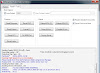
Wait for phone...
 Device Found!
Initialize ...
Handshake passed!
BB_IDC_CPU : SnapDragon 652 [MSM8976]
ID_BLOCK_S : 00776510
ID_BLOCK_I : 009B00E1
ID_BLOCK_L : 0E4BD8F6464DB3E6EFE14F36AA18E0D7
ID_BLOCK_L : 41BFB56CA38A9C520D9C35304FBF6B5E
Use CM2 Internal Loader
Loader Sent! Initializing ...
Running FireHose on BBID : MSM8976 , FLASH : eMMC , mVER : 1
MemInfo : 0x0003 / 0x0200 / 0x0000000747C00000 [ eMMC 32 GiB ]
ExtInfo : 0x0000C000/00100000/00001000/00001000
Storage : MFR : 0x11 , VENDOR : TOSHIBA , NAME : 032G34
Boot Ok!
Format USER ...
Format CACHE ...
Format Ok!
Done!
Elapsed: 00:00:08
Reconnect Power/Cable!




Kommentar veröffentlichen