Smart-Clip2 Software v1.26.11 is out
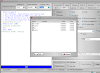
1. Released flashing via UPGRADE MODE feature forHuawei smartphones based on Qcom and Hisilicon:
♦ Press vol+vol- and then connect USB cable to enter the Upgrade mode
 ♦ Possible to use original update.app flash files from open sources, e.g. from here or here
Please use this method as a main method to flash Huawei smartphones.
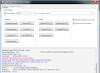
2. Released ENABLE DOWNGRADE feature (in Manufacture mode) for
Huawei smartphones based on Qcom/Hisilicon.
You may use it:
To downgrade phone’s firmware version - for example, downgrade from higher to lower one.
To change phone’s localization (for example, to switch from Operator1 to Operator2).
How to do that:
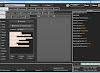
♦ Change provider settings (in manufacture mode)
♦ Enable downgrade (in manufacture mode)
♦ Flash the phone with the firmware that fits the selected provider settings
(Using upgrade mode: vol+vol-and powerON)
This solution is included into Pack 5 activation




Kommentar veröffentlichen